Live Subtitles
Live captions for speech, translated as it is spoken, in the browser. For a talk, a meeting or a video that shipped without subtitles.
Why we built it
Live translation at a talk usually means one person with a laptop and a captive audience of one. Live Subtitles takes the same idea to a browser: open a page, choose the language being spoken and the language to read, press the microphone, and the caption panel fills as people talk. Nothing is installed and nobody is asked to make an account, because the only way that gets used on a Sunday morning is if the person running the projector can start it in one click.
How it works
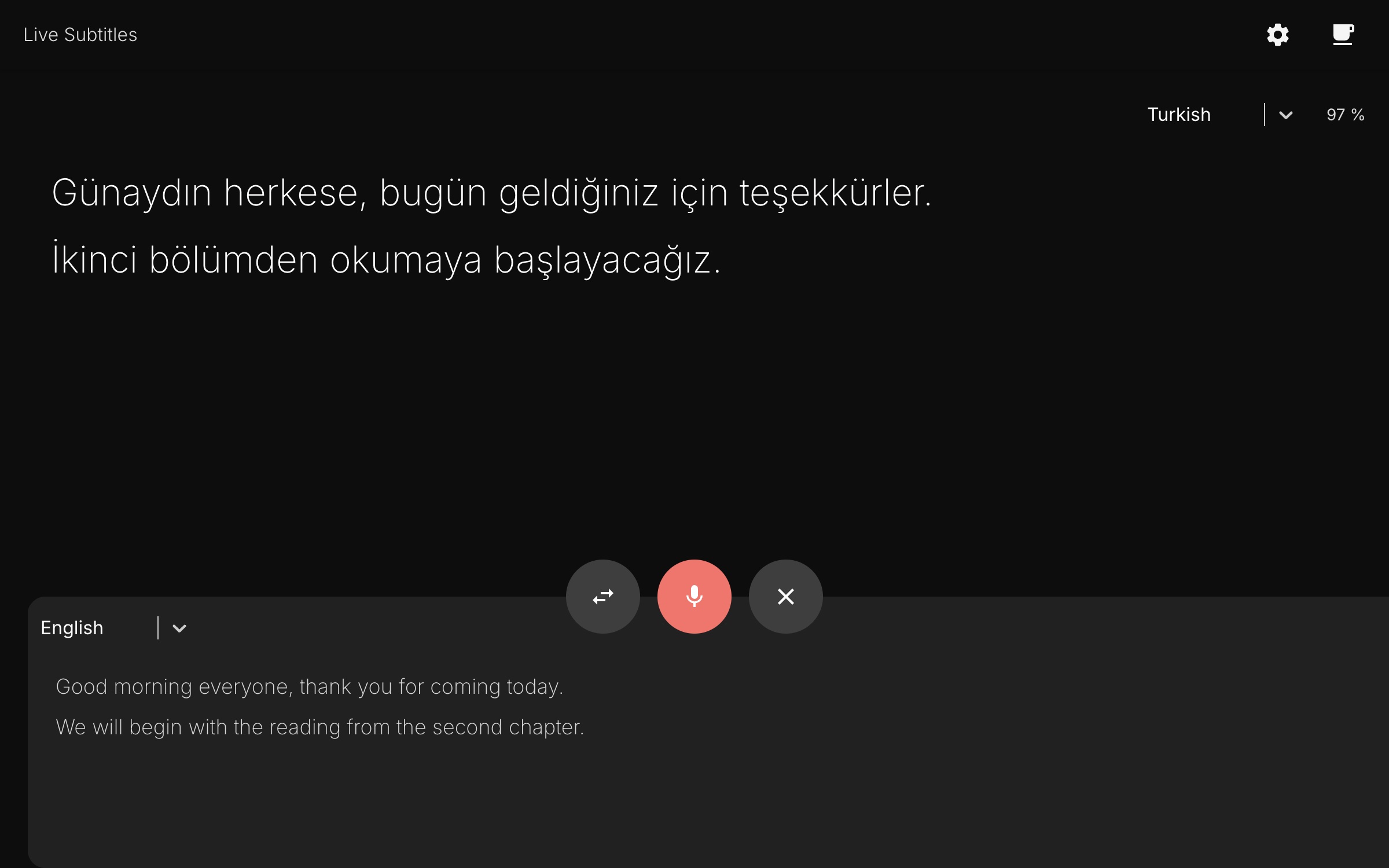
Speech is recognised by the browser's own Web Speech API, so there is nothing to install and no audio leaves through a custom pipeline. Each finished line is translated and appears above the transcript in the spoken language, and the reading fills the screen as people talk.
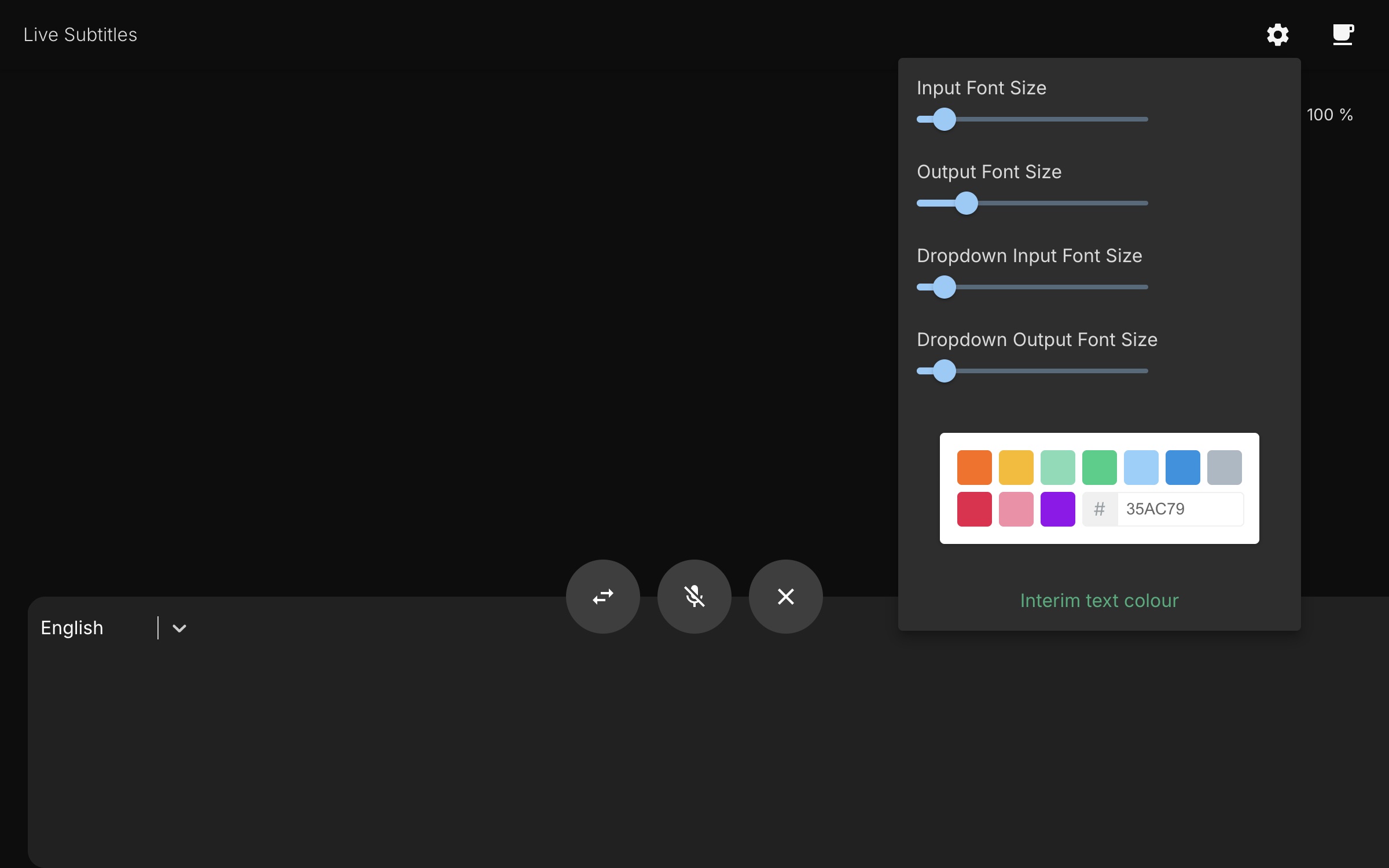
Input and output font sizes and the caption colour are set from one panel, so the text can be sized for a projector or the back of a room. The layout is the caption area first: the controls stay small and out of the way of the words. Twenty-two languages are offered for both sides.
What it does
Two languages at once
Speech is transcribed in the language being spoken and shown beside its translation, so the room can follow either.
No install, no sign-in
It runs in the browser and asks for the microphone once; there is nothing to download and no account.
Captions you can actually read
Input and output font sizes and the caption colour are set from one panel, so the text is readable from the back of the room.
Built for a room, not a demo
The screen is the caption area: a talk, a sermon or a call is the content, and the controls stay in the corners.
Inside the app
Captured from the running product — no mock-ups.
What it does not do
A limit named before you open the app is worth more than a feature list that never mentions one.
- Recognition uses the browser's own Web Speech API, which in practice means Chrome or Edge; Firefox and Safari do not implement it.
- Each finished line is translated by a server endpoint, so it needs a network connection and the translation is per line rather than per word.
- It follows one speaker at a time, and the caption panel is the display: there is no saved or exportable transcript.